 dsale@topsfp.com
 العربية
 English
 русский
 español
 中文
中文



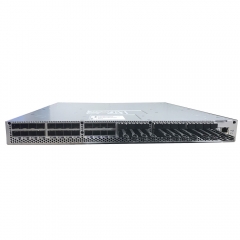
NVIDIA HGX H200 systems are platform designs, not a universal parts list
NVIDIA HGX H200 is commonly used to describe an AI server platform built around multiple H200 GPUs, but the name alone does not define a deployable configuration. A buyer still needs to confirm the exact system vendor, GPU form factor, GPU count, host platform, network adapter, switch fabric, storage architecture, power budget, and software support. Treating every “H200 server” as equivalent can create avoidable compatibility, commissioning, and capacity-planning risks.
This guide provides a practical way to evaluate an eight-GPU HGX H200 class system. It is intended for technical planning and RFQ preparation rather than for substituting vendor qualification. NVIDIA’s official H200 material identifies separate H200 SXM and H200 NVL product variants; do not assume that memory, thermals, interconnect, chassis, or deployment requirements transfer from one variant to another.
Start with the workload, memory profile, and validated system configuration
The H200 GPU adds HBM3E memory to the Hopper-generation data-center platform. NVIDIA publishes up to 141 GB of GPU memory and up to 4.8 TB/s memory bandwidth for the H200 platform, but these specifications should be used as planning inputs rather than a promise of application performance. Model size, batch size, context length, precision, framework version, storage throughput, and communication pattern all influence measured results.
For an HGX H200 proposal, first document the target workload: inference, fine-tuning, training, simulation, analytics, or a mixed environment. Then record the required number of concurrent users or jobs, data-set locality, expected utilization window, availability target, and acceptance benchmark. This makes it possible to compare configurations on a like-for-like basis rather than choosing hardware from headline specifications alone.
Request the server manufacturer’s exact bill of materials and supported GPU configuration. NVIDIA reference architecture material includes H200 eight-GPU node configurations, but partner systems can differ in CPU generation, memory channels, PCIe layout, drive bays, management controller, NIC options, firmware packaging, and validated operating-system stack. The vendor’s current platform documentation remains the authority for the system being purchased.
Separate the GPU system from the AI network fabric
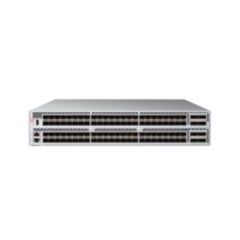
An eight-GPU server requires more than GPUs. Intra-node GPU communication, host I/O, east-west AI traffic, storage traffic, and management traffic have different paths and design constraints. Build the network design as a separate but connected workstream. Identify the adapter or SuperNIC model, port count, signaling rate, switch family, topology, optical or copper media, breakout requirements, and cable reach before releasing an RFQ.
For example, NVIDIA’s current networking portfolio includes ConnectX-7 adapter configurations with up to four 400G ports and ConnectX-8 SuperNIC configurations with up to 800G, depending on the selected model. Those figures are family-level capabilities, not a substitute for the exact part number and host-interface check. Confirm each adapter’s connector type, supported speed modes, PCIe or OCP interface, lane allocation, firmware, cooling method, and supported transceiver or DAC/AOC options against the specific adapter manual.
Topology should be selected from workload evidence. A compact pilot cluster may use a different fabric, oversubscription ratio, and media mix from a multi-rack training environment. Document whether ports are used as full-rate links or split ports, how redundant paths are provided, and which traffic is isolated. Record the switch port map and cable lengths early so that optics and cables are ordered only after compatibility is established.
Plan rack power, cooling, serviceability, and physical installation
GPU nodes are high-density systems. Before procurement, calculate the node power envelope from the system vendor’s current specification, including CPUs, GPUs, DIMMs, drives, NICs, fans, power supplies, and transient headroom. Validate rack PDU capacity, branch circuits, redundancy approach, room cooling, hot-aisle/cold-aisle direction, rack depth, rail kit, and service clearance. A system that fits the rack physically can still fail thermal or power requirements if these checks are skipped.
Require a documented airflow direction for every server, switch, adapter, transceiver, and cable-management component. Confirm whether the selected NIC or switch uses passive cooling, requires a specified air flow, or depends on a vendor-qualified heatsink. Keep firmware-management access, serial-console access, spare power supplies, and replacement-media strategy in the installation plan. These operational details matter as much as accelerator specifications when the cluster is put into service.
Use a qualification checklist before issuing the purchase order
- List the exact server manufacturer, platform model, GPU quantity, GPU form factor, CPU, DIMM population, drive model, RAID or software-defined storage method, and support term.
- Verify the full network bill of materials: adapters, switches, optics or DAC/AOC assemblies, connector type, cable length, breakout mapping, and approved firmware versions.
- Confirm electrical and physical constraints: rack units, depth, weight, rail kit, power-cord type, input voltage, PDU ports, airflow direction, and cooling assumptions.
- Agree an acceptance test that measures the intended workload, network connectivity, storage access, management access, and burn-in period.
- Keep serial numbers, firmware baselines, compatibility records, and vendor documentation with the project handover package.
Use official documentation for final configuration decisions
Product naming changes quickly in AI infrastructure, and images or marketplace listings are not sufficient for configuration decisions. Cross-check the current H200 product page, the exact server vendor’s configuration guide, and NVIDIA’s published reference architecture before order release. NVIDIA’s documentation also provides the appropriate source for adapter and system-network validation. When a configuration spans multiple suppliers, obtain written confirmation that the selected server, adapter, switch, and media combination is supported.
For primary reference, review the NVIDIA H200 specifications, the NVIDIA HGX H200 reference architecture, and the NVIDIA adapter documentation index. These sources support technical planning; the final bill of materials must still match the exact, currently supported vendor configuration.
