 dsale@topsfp.com
 العربية
 English
 русский
 español
 中文
中文



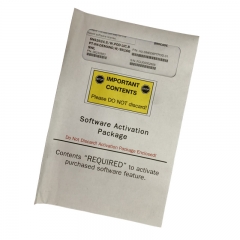
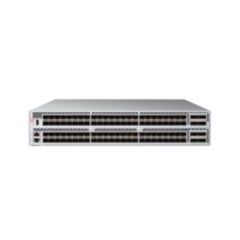
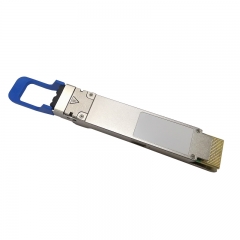
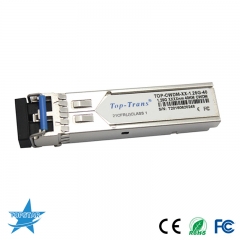
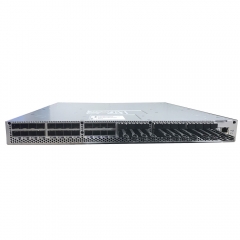
HPE P08355-001 is an HDR100/Ethernet adapter, not a generic “immediate-stock” interconnect claim
HPE P08355-001 should be evaluated as a specific server option with a defined host, firmware, and network environment. HPE’s current service documentation describes the part as an HPE InfiniBand HDR100/Ethernet 100Gb 2-port 940 QSFP56 adapter. That description is useful for identifying the technology class, but it is not by itself a deployment approval for every HPE ProLiant, Apollo, switch, cable, or AI cluster.
This article replaces earlier promotional language with a configuration-first guide. It does not make claims about inventory, delivery time, pricing, compatibility with every server, or suitability for a particular workload. The correct approach is to verify the exact HPE system configuration and the currently supported software and firmware combination before purchasing or installing an adapter.
Correct the part identification before preparing an RFQ
The first step is to distinguish the HPE spare part number from the underlying adapter identity. HPE lists P08355-001 in supported server option and parts documentation as an InfiniBand HDR100/Ethernet, 100Gb, two-port, 940 QSFP56 adapter. NVIDIA’s official ConnectX-6 firmware documentation identifies the legacy adapter OPN MCX653106A-ECAT as a ConnectX-6 VPI card with 100Gb/s HDR100, EDR InfiniBand, and 100GbE modes, plus dual QSFP56 interfaces. Earlier published controller identification was incorrect and should not be used for this item.
Part-number matching must include the vendor label, OEM firmware, bracket and cooling option, PCIe generation and lane configuration, and the server platform’s supported-options list. An adapter with a similar NVIDIA controller or similar connector can still differ in firmware package, physical form factor, warranty path, or host qualification. Use the HPE part number in the server BOM and retain the complete manufacturer documentation with the project record.
Understand the port and protocol decisions
QSFP56 is the physical cage family; it does not mean that every connected cable or optical module will operate at every speed or protocol. The installed system determines whether a port is used for InfiniBand or Ethernet and which link mode, breakout arrangement, media type, and firmware release are supported. NVIDIA’s ConnectX-6 VPI documentation describes protocol-selection combinations for the two ports, but that capability must be reconciled with HPE’s OEM support policy and the actual network design.
For the P08355-001 planning record, document each port separately: intended protocol, target link rate, switch model and port mode, media type, connector, length, transceiver or cable part number, and remote-end configuration. Do not infer compatibility from connector shape. A link can fail or operate at an unexpected speed because of an unsupported optic, incompatible breakout, incorrect port personality, software configuration, or firmware baseline.
When the fabric uses InfiniBand, determine whether the design targets HDR100, EDR, or another supported mode, and confirm switch/HCA/media interoperability with the relevant NVIDIA compatibility material. When the fabric uses Ethernet, validate the switch operating system, port configuration, FEC behavior where applicable, and the adapter driver and firmware recommended for the host operating system. Mixed InfiniBand and Ethernet usage requires especially careful documentation because a physical two-port card does not eliminate protocol or operational constraints.
Verify server installation, PCIe resources, and cooling
An adapter cannot be selected independently of the server. Check the exact HPE server generation and chassis, available riser, slot width, slot generation, lane allocation, bracket height, auxiliary cable requirement, and cooling configuration. The qualified slot may change when GPUs, storage controllers, high-speed NICs, or additional accelerators are present. Use the server manufacturer’s current configuration guide rather than an older parts list or a reseller image.
Power and airflow should be included in the installation review. High-speed adapters require the host slot to provide the appropriate power and cooling path, and an AI or HPC node may already have dense GPU, CPU, and storage thermal loads. Confirm the adapter heatsink orientation, fan policy, rack airflow direction, and cable bend radius. Record the final firmware, driver, and operating-system versions; this creates a repeatable baseline for later expansion or support work.
Choose media only after the end-to-end link is defined
The media decision belongs to an end-to-end design, not an isolated adapter listing. For short, known rack-to-rack or in-rack runs, a qualified passive DAC, active DAC, or AOC may be appropriate depending on reach and installation conditions. For structured fiber paths or longer distances, choose the correct optical interface and fiber type from the switch-and-adapter compatibility documentation. Label every cable with both endpoints, port roles, and expected protocol.
Do not substitute a 100G optical type merely because it shares a QSFP28 or QSFP56 form factor. HPE Aruba Networking’s transceiver documentation illustrates why detail matters: 100G LR and 100G LR4 have different lane architectures, while SR4, DR, FR1, and BiDi designs use different fiber and reach assumptions. The selected server adapter, switch port, transceiver, and fiber plant must be tested as one supported combination.
Use a controlled acceptance checklist
- Confirm the exact HPE spare part number P08355-001 and the server model’s current supported-options documentation.
- Record the physical adapter version, bracket, PCIe slot, auxiliary cabling if required, and airflow direction.
- Set and record the intended port protocol and speed; do not rely on default auto-configuration alone.
- Validate the switch, cable or optic, remote-end port, firmware, driver, and operating-system version as an end-to-end matrix.
- Run a link, throughput, error-counter, and burn-in test using the actual workload path before production cutover.
Reference manufacturer documentation before final configuration
Use primary documentation rather than sales descriptions for final selection. HPE’s support documentation provides the OEM part description and applicable platform listings. NVIDIA’s ConnectX-6 documentation provides the relevant adapter and protocol context. For optical media and switch-port compatibility, review the current vendor transceiver matrix for the exact switch model and software release.
Primary references: HPE ProLiant parts documentation, NVIDIA ConnectX-6 firmware-compatible products, and the HPE Aruba Networking transceiver guide overview. Confirm the latest documentation and vendor support status at the time of purchase.
